Updated 8 min read
Instagram Auto Reply: How to Set Up DM and Comment Replies
People ask under your posts and in your DMs, usually while your hands are full. Here is how to answer both on their own.
The short answer
Ola
Bakery owner
Example
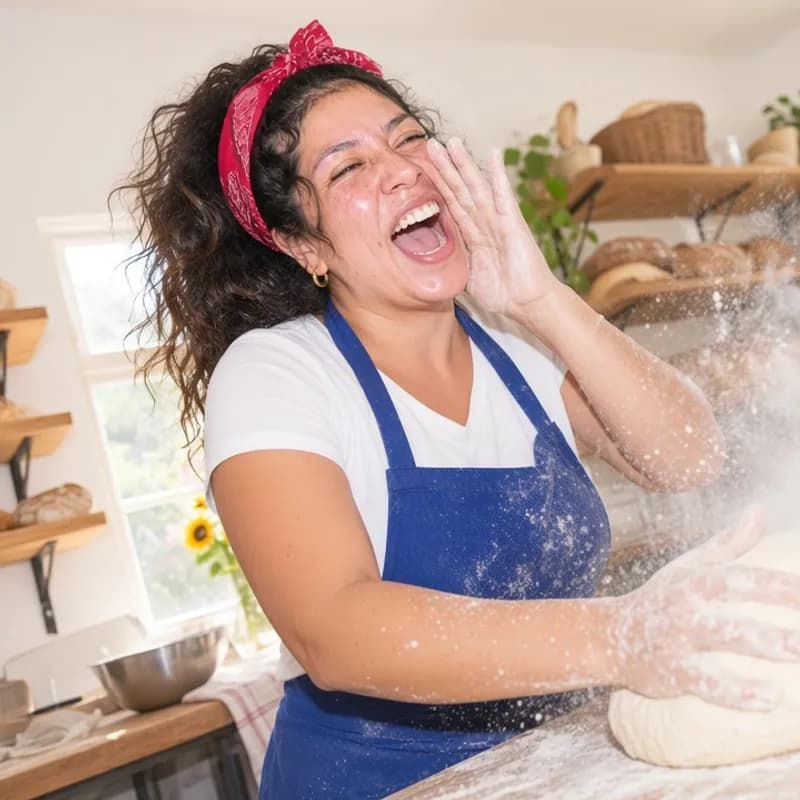
Ola runs a small bakery and its Instagram herself. Every Thursday she posts the weekend bake: what's back and what sold out last time. This week it's almond croissants.
The questions come in two places. Under the post, people want to know how to order. In her DMs, the same few arrive every morning: are you open on Sunday, is there anything gluten-free, can I pick up at seven? Most of them land while her hands are in the dough.
So she sets up two replies. Thursday's post asks people to comment CROISSANT, and each of them gets the pre-order page in a DM. Anyone who messages the bakery for the first time gets the weekend hours and the same page, straight away.
How do you automatically reply to Instagram comments?
Ask for a word in your post, and everyone who comments it gets a DM from you. That's comment to DM, the auto reply most creators and shops mean. Ola's caption says "Comment CROISSANT and I'll send you the pre-order page." Someone comments, and within seconds the page is in their DMs as a button they can tap. A short reply appears under their comment as well.
Ola's almond croissant post with two comments asking for the pre-order page, each marked DM sent with her public reply under it, and the DM marie.k gets: the weekend pre-order page with two buttons, Pre-order now and Weekend menu.
In the DM, the link sits on a button people tap, while an address typed into a caption stays plain text (where links are clickable on Instagram). Each DM can carry up to three link buttons. Ola's first opens the pre-order page, her second the full weekend menu. For what other accounts put on theirs, see these comment to DM examples.
The reply under the comment does two jobs. It tells the person where their DM is, and it shows everyone scrolling past that asking works. People who don't follow you yet find your DM in their message requests (how Message Requests work).
How does an Instagram auto reply to DMs work?
Someone messages your account for the first time, and ChatPanda's DM auto-reply answers straight away with the message you wrote. It suits the questions every new customer asks, like your hours and where to order.
Ola writes hers once. It has the weekend hours, the pre-order link and a promise to answer anything else herself.
Someone asks Ola's bakery whether it is open this Sunday. The auto-reply answers at once with the weekend hours, the pre-order page and a note that Ola will answer anything else herself.
Write it so it fits whatever the first question was. Start with what most people ask, add the link, and say when you'll reply in person. ChatPanda for business owners shows what other shops and studios send.
Does Instagram have its own auto reply?
Yes, and it's free. Instagram and Meta Business Suite, Meta's app for business accounts, have a few tools for everyday questions:
- FAQs in chats: up to four questions people tap when they open a chat with you, each with your answer.
- Saved replies: shortcuts that fill in an answer you then send yourself.
- Instant reply and away message, in Meta Business Suite: a greeting for a first message, or a note while you're away.
- AI auto replies: an AI version of you that answers DMs, still rolling out.
ChatPanda is made for the post that asks people to comment. You choose the post, everyone who comments gets a DM with up to three link buttons, a reply appears under each comment, and Insights counts comments, DMs and link opens. The free plan includes all of it, plus the DM auto-reply and the option to keep a DM for people who follow you, so nothing here costs extra. It runs on Meta's official Instagram API and answers people who wrote to you first, which is what Instagram's rules on DM automation ask for and what keeps your account safe.
Set it up before your next post.
Sign up free, no card needed. Most of the setup is writing the DM people get when they comment.
Create your free account
Connect your Instagram
Choose a post and the reply
Your first reply
How do you set up auto reply on Instagram?
With ChatPanda, a post takes about a minute and the DM auto-reply less. You need an Instagram professional account, creator or business. Switching is free and keeps your followers and posts: how to switch to a professional account.
Auto reply to comments
Sign up and connect Instagram
Create a free ChatPanda account and press Connect Instagram. You log in on Instagram's own page and allow ChatPanda there, so your password stays with Instagram. Then, in the Instagram app, turn on Allow access to messages, under Settings and activity, Messages and story replies, Message controls, Connected tools. That setting lets ChatPanda send your DMs.
Choose the post
Open Comment to DM and press New rule. Under Which posts, pick One post and choose it, or pick Every post. The next section helps you decide.
Type the word
Type the word your post asks for. Capitals don't matter, and the word can sit anywhere in the comment, so "croissant for Saturday please" counts.
Write the DM and add link buttons
Write it the way you'd answer one customer at the counter. Choose Message with buttons and add up to three, each with a few words and the page it opens. Ola's first says Pre-order now.
Choose who gets it
With Everyone who comments, the DM goes out the moment they comment. With Only people who follow you, ChatPanda asks them to follow first and sends the DM once they do, which suits a free guide. Ola picks Everyone: someone ready to order should have the page at once.
Keep the reply under the comment
A new rule comes with a few ready replies, such as "Sent! Check your DMs", and ChatPanda picks one at random for each comment. Reword them or add your own.
Save it
Press Save rule. From that moment, every new comment with the word gets its DM.
Auto reply to DMs
- Open DM auto-reply and write what someone gets when they message you for the first time.
- Press Save auto-reply.
- Switch on Auto-reply to first DMs.
To see it the way your customers do, comment your word from a friend's account. The DM arrives within seconds.
Should your auto reply cover one post or every post?
One post when the promise belongs to that post, every post when you offer the same thing all the time. A Reel that promises one recipe or one guide gets its own setup. A pre-order page, a price list or a booking page can answer on every post, new ones included, so a new post is covered from the moment it goes up.
Ola's pre-order page is the same every week, so CROISSANT answers on every post and Thursday's post needs no setup at all. In December she gives the stollen post a setup of its own, with the Christmas order page in its DM.
How do you see who got your auto reply?
Open the setup's Insights. It shows how many comments had your word and how many people left them, how many got your DM, and how many opened each link button. With Only people who follow you, it also counts how many followed you to get it. The DM auto-reply screen shows how many first messages it answered in the last 30 days.
On Friday morning Ola checks which button people open more, the pre-order page or the menu. If it's the menu, next week's caption names the flavours.
What does Ola's weekend look like now?
Thursday's post goes up before the first tray comes out of the oven. By lunch there's a column of CROISSANT comments with a reply under each, and every one of those people has the pre-order page in their DMs. The 6am "are you open on Sunday?" gets its answer while she shapes the dough.
The questions that need her still come: whether the rye has seeds, whether she can bake for a birthday of twenty. She answers those herself, in the same chats, once her hands are clean.
Common questions
Does Instagram auto reply work on Reels, carousels and photo posts?
Yes. ChatPanda answers the comments under whichever post you choose, so a Reel, a carousel and a single photo all work the same way. Put the ask where people will see it: say the word out loud in a Reel, write it in the caption, or make it the last slide of a carousel.
Can I still answer people myself after the auto reply?
Yes. The automatic message is the first answer, the one you would otherwise type all day. When someone writes back, their message lands in your Instagram inbox like any other, and you reply in your own words. The DM auto-reply greets each person’s first message, so everything after it is your conversation.
Can I use auto reply on more than one Instagram account?
Yes. Connect several Instagram accounts to one ChatPanda login, and each keeps its own posts, words, DMs and DM auto-reply. The free plan has every feature, with no cap on accounts or on DMs, so a second account costs nothing extra.
Do I need to stay online for the auto replies to go out?
No. Once a setup is saved and switched on, ChatPanda answers each comment and each first message by itself, day and night, with your phone in your pocket and your laptop closed. Come back when you want to change the DM, pause it for a while or look at Insights.
How do I turn off AI auto replies on Instagram?
Go to your profile, tap Professional dashboard, then Your AI under Your tools, and turn off auto replies in its settings. To stop them in one chat, tap the person’s name at the top of that chat, then AI auto replies, and switch it off. The person sees a note in the chat that you turned them off.
Can my Instagram auto reply answer in more than one language?
Yes, if you write it that way. The DM auto-reply sends the message you wrote, so put a short line in each language. For comments, give each language its own word on the same post, such as CROISSANT and ROGALIK, each with a DM in that language. Instagram’s AI auto replies work in English for now.